Household-aware records
Invitations, passes, and seating all follow the household, so a family of five is one decision, not five rows to reconcile.
Guest list
Wendus tracks guests the way weddings actually work: by household. Import the CSV you already have from the couple, planner, or venue team, or build the list by hand — then manage RSVPs, meals, and follow-ups from one private, on-device list.
RSVP tracking
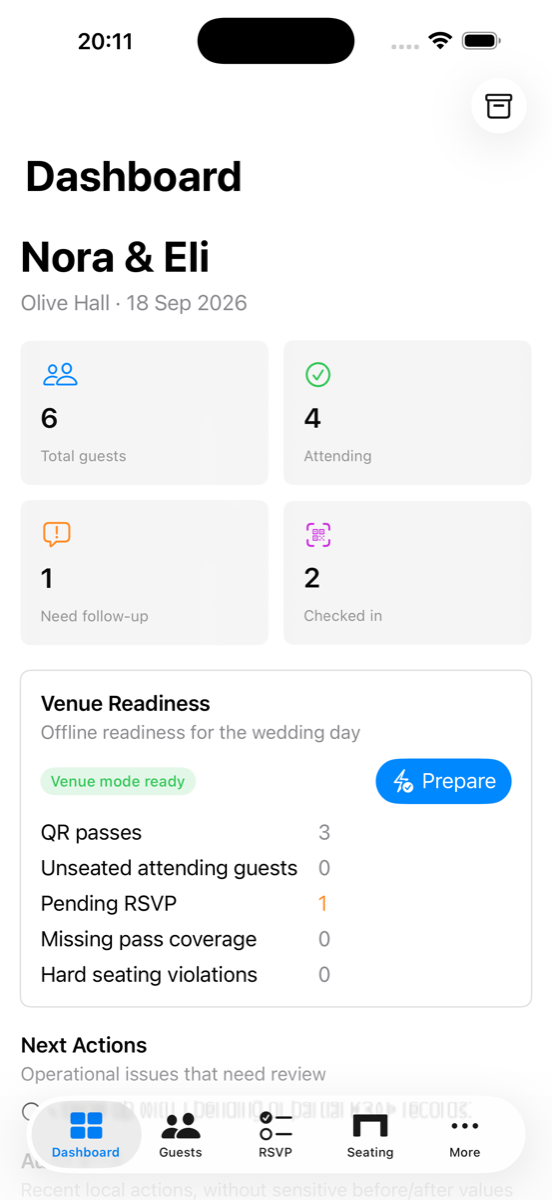
Every RSVP change is recorded in a local communications ledger, and a reminder queue keeps pending households visible until they answer.
Invitations, passes, and seating all follow the household, so a family of five is one decision, not five rows to reconcile.
Guest names in Hebrew, Arabic, and other scripts survive CSV import, export, QR passes, and venue handoff intact.
The guest list is stored encrypted on your device. No account, no cloud database, no ads — and vendor exports share only the fields each recipient needs.
FAQ
Yes. Export your sheet as a CSV file and import it into Wendus. Re-importing an updated CSV updates existing guests instead of duplicating them, and you can export the master list back to CSV at any time.
Free Core supports one main wedding event with up to 50 guests. One Wedding Pass removes the cap for one wedding period.
No. Wendus works without sign-in, and guest data stays encrypted on your iPhone or iPad by default.
Closeout workflows let you archive the event encrypted, purge sensitive fields while keeping counts, keep aggregates only, or delete everything.